

Mobile browsing can be the simplest way to explore an online casino, but a smaller screen changes how you search, compare, and manage an account. The Canadian-facing site described in the available material is built around a responsive browser experience rather than a required app. That makes it relevant for people who prefer a phone or tablet, provided they understand what the mobile version does, how shortcuts work, and where account information appears. This guide explains the practical points to check before using spinsy casino online on an Android or iOS device.
What should a mobile browser experience provide?
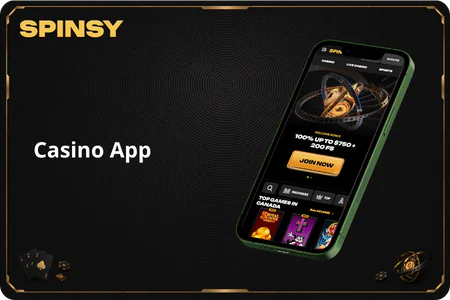
A useful mobile casino site should adapt its layout to a phone without forcing users to zoom, rotate the screen, or search through desktop-only menus. The available information indicates that the service uses a responsive website for Android and iOS. Casino content, live casino, sports betting, account controls, promotions, challenges, the rewards Shop, and cashier functions are described as accessible through the mobile browser.

That broad coverage matters because a mobile experience is not only about opening a game. You may need to review an active promotion, check a transaction, find account information, or contact support without moving to a computer. A responsive interface should keep these areas reachable while making buttons and menus usable on a smaller display. However, the exact appearance can vary by device, operating-system version, browser, and screen size.

Before relying on mobile access, open the site with your normal browser and test the tasks that matter to you. Check whether the navigation is readable, whether game thumbnails load properly, and whether the account and support areas are easy to locate. Treat the browser experience as a convenience, not proof that every feature has identical limits or presentation across all devices. Account eligibility, payment availability, and promotional terms still need to be checked in the relevant account area.
How do you find content without endless scrolling?
A large catalogue can become awkward on a phone if the only discovery method is scrolling through rows of tiles. The described lobby includes search, category filters, and provider filters, giving users several ways to narrow the display. Categories include popular and new content, exclusive titles, live games, instant games, slots, table games, and jackpots.
Search is generally most useful when you already know a title or provider. Category browsing works better when you want a particular type of experience but do not have a specific game in mind. Provider filters can also reduce clutter when you prefer to explore a familiar studio. On a mobile screen, it is sensible to apply one filter at a time, check the results, and clear it before starting a new search.
Some listed titles support demo play, which can help with basic navigation and identify whether a game loads properly on your device. A demo session should not be treated as evidence of likely returns, volatility, or future results. Use it only to understand the interface, sound, controls, and screen orientation. If a game is difficult to read or the controls are cramped, choosing another title may provide a better mobile browsing experience without assuming that the underlying game has changed.
When is a shortcut useful, and what does it change?
The Canadian mobile site provides a Create Shortcut option rather than requiring a native application. On Android, the stated process uses the browser’s “Add to Home screen” function. On iOS, users can use the Share menu to add the site to the home screen. The resulting icon is a convenient way to reopen the mobile website.
A shortcut does not create a separate casino account, install a native app, or produce a different balance. The available information says it opens the same mobile web account and balance. This distinction is worth remembering when checking permissions, storage, or device settings: a home-screen icon is essentially a saved route to the browser experience, not independent software with its own account system.
Use a shortcut only on a personal device that you can secure. Keep the operating system and browser updated, use a screen lock, and avoid saving credentials on shared phones. For broader Canadian online-safety advice, consult Canada’s official online safety guidance. If the shortcut stops working, remove and recreate it after checking the browser, rather than assuming that account data has been lost. The normal login and account-recovery process remains relevant if access problems continue.
Which mobile tasks deserve extra attention?
Mobile browsing is convenient for quick account checks, but smaller screens can make important details easier to overlook. Promotions may contain wagering, activation, expiry, or eligibility conditions that are not visible in a compact card. Open the full terms before selecting an offer, and check the My Bonuses area for the current rules attached to your account. Do not rely on older descriptions or a headline amount alone.
Payment screens deserve the same care. The Canadian-facing material prominently lists Visa, Mastercard, and Interac, while other methods may depend on the cashier, account, and region. Mobile users should confirm the method shown in their own cashier, the currency displayed, and any applicable limits before continuing. Never use a payment method belonging to another person, since ownership checks may affect account reviews or withdrawals.
Verification can also be harder on a phone if documents are poorly photographed or uploaded in an unsupported format. The stated checks may involve identity, address, payment ownership, or additional source-of-funds information. Use clear images, protect private documents, and follow the instructions shown in the account area. If a withdrawal remains pending, do not assume the mobile interface is the cause; the available material says requests can wait for required KYC information to be supplied and accepted.
How can you keep mobile sessions controlled?
A phone makes access easy, which can be helpful for short checks but less helpful when browsing becomes unplanned or prolonged. Decide what you intend to do before opening the site: search for a title, review an account notice, check a promotion, or look at a sports market. A specific purpose reduces aimless scrolling and makes it easier to close the browser when that task is finished.
Keep account security separate from convenience. Avoid public or shared Wi-Fi for sensitive account changes, sign out when using a shared device, and review browser notifications before allowing them. Do not treat saved passwords, biometric unlocking, or a home-screen shortcut as substitutes for account security. If you lose access to registered contact details, support may require identity verification before sensitive changes can be made.
Finally, know where help is available before a problem occurs. The available information describes 24/7 support through live chat and email, covering access issues, bonuses, verification, payments, technical problems, and account changes. It also identifies self-exclusion as an option that can be requested through support, while noting that public descriptions of additional self-service limits are inconsistent. If mobile use stops feeling deliberate or manageable, pause and contact support rather than assuming every control is available in the browser.
Mobile browsing questions answered
Is a native app required on Android or iOS?
No native installation is described as necessary. The service is presented as a responsive mobile website that works through Android and iOS browsers. Users can add a home-screen shortcut for convenience, but the shortcut opens the same mobile web account and balance rather than creating a separate application or account.
Can mobile users access the same account areas?
The available material says the mobile browser provides access to casino and live-casino content, sports betting, cashier functions, promotions, challenges, the Shop, and account controls. Exact presentation can vary by device and account, so check the menus and cashier shown after signing in rather than assuming every option has identical availability.
What should I do if a mobile page or game fails to load?
Check your connection, update the browser, close unnecessary tabs, and reload the page. If the problem continues, try another supported browser or device and record any error message. For account, payment, verification, or technical issues that remain unresolved, use the stated support channels for assistance.